Solo Looper app icon
One-time purchase · No subscription

Solo Looper

Record · Loop · Play over it

The simplest looper on your phone. Tap the big button, play a riff, and it repeats while you improvise. No pedal, no amp, no setup.

Coming soon to the App Store See how it works

One button. Three states.

The colour tells you what is happening. That is the whole app.

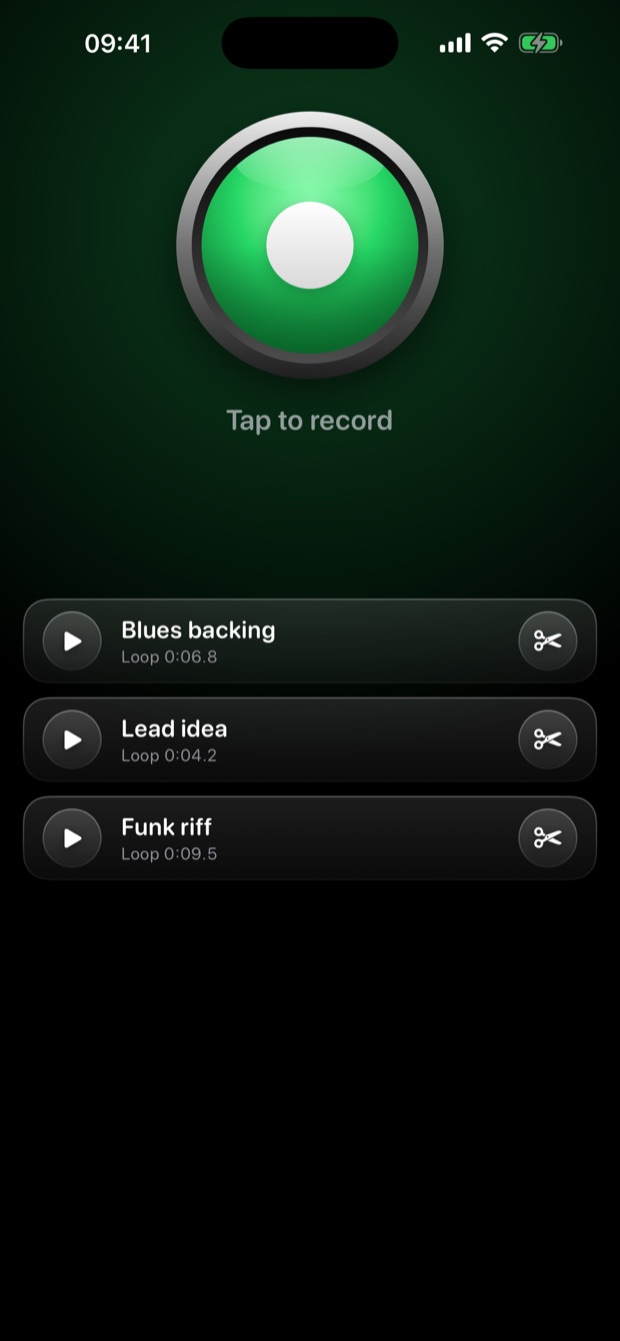
1 · Ready

Tap and play

Green means ready. Tap it and start playing. The microphone only listens while you record.

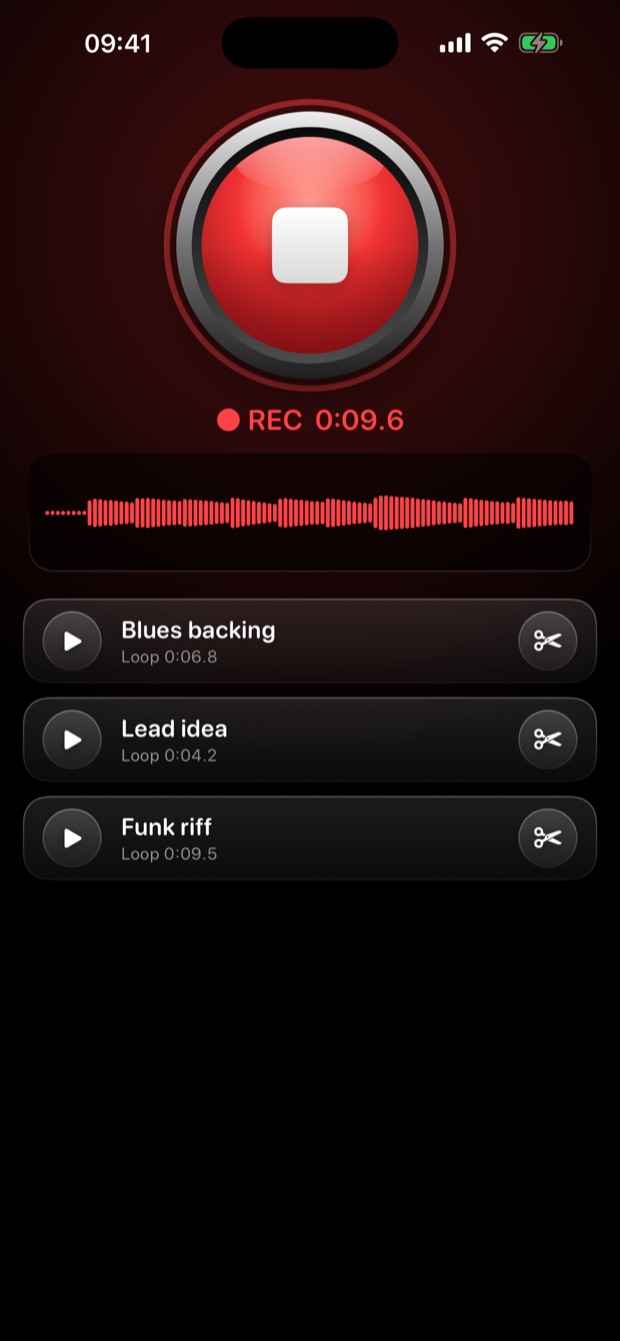
2 · Recording

See yourself being heard

Red means recording. A live waveform shows the microphone picking you up, so you always know.

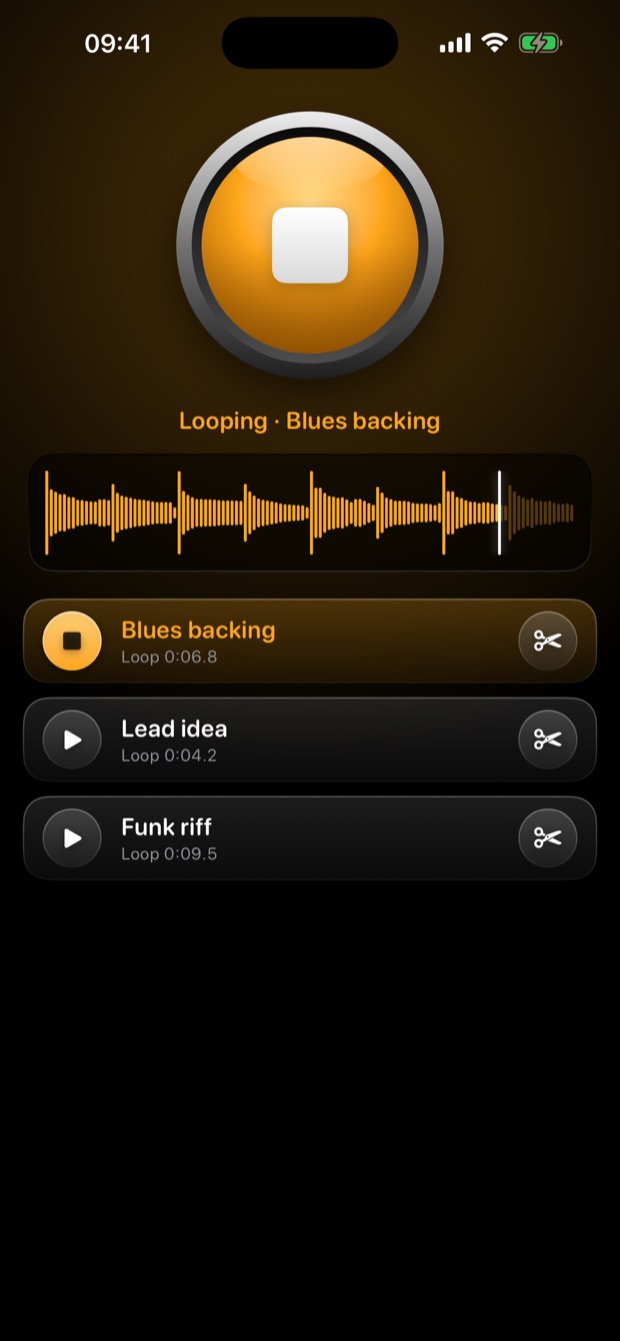
3 · Looping

It loops. You solo.

Amber means looping. A moving playhead shows where you are in the loop. Tap to stop.

Made to practise with

Real screens from the app.

Recording with a live waveform

Live recording

A loop playing with a moving playhead

Looping

History of recorded takes

Every take saved

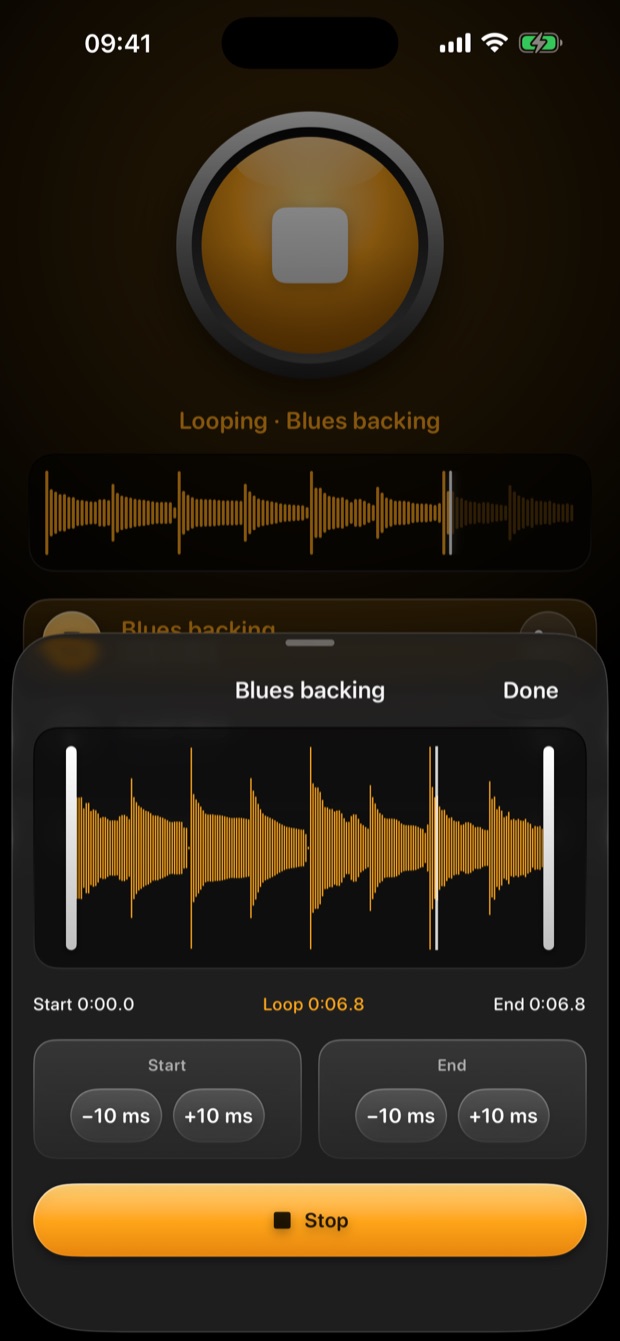
Trim editor with two handles

Trim to fit your bar

Everything you need, nothing you don't

No menus to dig through. No tempo to set. Just your playing.

Live waveform

See the microphone hearing you while you record, so a silent take never surprises you.

Moving playhead

Always know where you are in the loop, in the main screen and in the trim editor.

Trim to fit your bar

Drag two handles or nudge by 10 ms. The loop keeps playing while you cut, so you hear the seam.

Every take saved

Your history stays on the phone. Tap any old take to loop it again, swipe to rename or delete.

Keeps playing when locked

Switch to a chord chart or lock the screen. The loop carries on, and you can pause it from the lock screen.

Private by design

No account, no ads, no tracking, no network. Your recordings never leave your iPhone.
Your next backing track is one tap away

One purchase, yours to keep. No ads, no subscription, no in-app purchases.

Coming soon to the App Store